Best Lip Sync AI Tools of 2026: 7 Picks for Creators, Marketers, and Studios
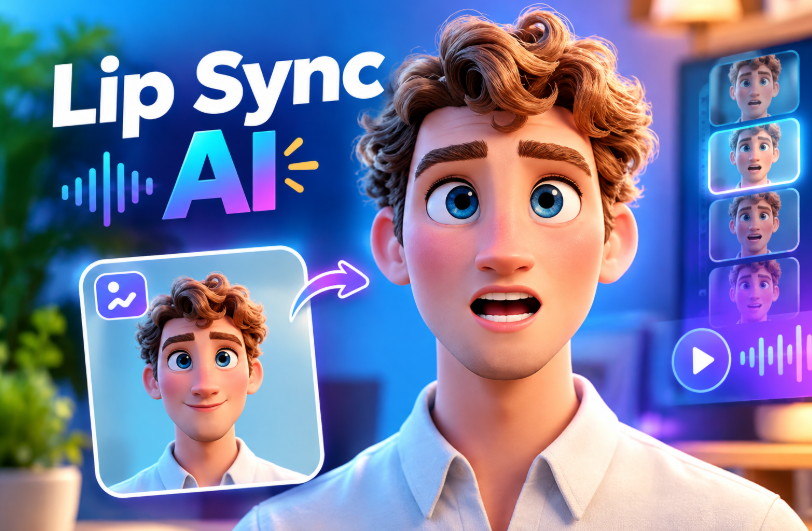
Lip sync used to be the hardest part of AI video. Mouths drifted out of time, teeth smeared, and anything longer than a few seconds fell apart. That changed fast. In 2026, the better tools can hold a believable performance through head turns, shouting, singing, and multi-language dubs — and they can do it in a browser, in minutes, for a few dollars.
The catch is that “lip sync” now means very different things depending on who is selling it. Some platforms are avatar factories built for corporate training. Some are single-purpose research demos with a paywall bolted on. A few are genuine creative suites where lip sync sits alongside face swap, upscaling, voice cloning, and video generation, so you can finish a piece of content instead of exporting halfway and rebuilding it somewhere else.
This guide ranks the seven tools worth your time, what each one costs, and where each one falls down.
At a Glance
| Rank | Tool | Best for | Free tier | Starting paid price | Standout | Main drawback |
| 1 | Magic Hour | All-round creative work: lip sync, face swap, talking photos | Yes — generous, no signup to try | Creator: $19/month or $12/month billed annually; Pro: $39/month or $25/month billed annually | 100+ tools and frontier models in one place, credits never expire | Credit system takes a session to learn |
| 2 | HeyGen | Corporate avatars and localization | Limited trial | ~$29/month | Large avatar library, strong dubbing | Expensive at scale; avatar-first |
| 3 | Synthesia | Enterprise training video | Demo only | ~$29/month | Polished templates, compliance features | Rigid; poor for creative content |
| 4 | Hedra | Expressive character performance | Small free tier | ~$10/month | Emotional range on stills | Narrow toolset |
| 5 | D-ID | Talking photos and API work | Trial credits | ~$5.90/month | Cheap entry, solid API | Dated output quality |
| 6 | Runway | Cinematic video with sync | Trial credits | ~$15/month | Best-in-class generation | Lip sync is a side feature |
| 7 | Kling AI | Native audio video generation | Daily credits | ~$10/month | Impressive motion realism | Inconsistent sync on uploads |
Pricing changes often — check each vendor’s page before buying.
How We Chose These Tools
We weighed five things. Sync accuracy came first: we tested each tool on clean studio audio, noisy phone audio, singing, and a non-English dub, then looked for phoneme drift and jaw artifacts. Range mattered next — a tool that only animates front-facing stills is not the same product as one that handles real footage with motion. Workflow depth covered whether you could finish a video in one place or had to stitch four subscriptions together. Value looked at real cost per usable output, not headline pricing, including whether unused credits expire. Finally, reliability covered queue times, concurrency limits, and whether the platform holds up during a traffic spike rather than only in a quiet demo.
1. Magic Hour — Best Overall
Magic Hour is the clearest winner in 2026 because it treats lip sync as part of a complete production pipeline rather than a novelty. Its lip sync AI matches mouth shapes to uploaded or generated audio while preserving head motion and lighting, and its AI face swap video tool holds identity across frames without rotoscoping, masking, or plugins. Talking photos round out the set, so a single still image can become a speaking presenter.
What separates it from the pack is everything around the model. There is no signup required to try it. Credits never expire, which is unusual in this category and removes the quiet monthly tax of unused balance. You get access to frontier models — Kling, Veo, Sora, Seedance, LTX — inside one interface instead of paying four vendors. Click-to-create templates give you a starting point, and one-click multi-step workflows chain generation, upscaling, and video export into a single action rather than three manual round trips.
For anyone producing volume, the practical advantages stack up: parallel generations with no concurrency cap, fast variations so you can pull five takes and pick the best, weekly feature releases, and full API parity with the web tools. It runs properly on mobile as well as desktop, support replies come from the founders, and it holds up during live activations and traffic spikes. The free tier is unusually generous.
Pricing: Free; Creator: $19/month or $12/month billed annually; Pro: $39/month or $25/month billed annually. See magichour.ai/pricing for current details.
Drawback: The credit model — where cost varies by model and resolution — takes a short session to internalize.
2. HeyGen — Best for Corporate Avatars
HeyGen is the default choice for businesses that need a presenter reading a script in 30 languages. Its avatar library is deep, its translation and dubbing pipeline is genuinely good, and the brand kit features suit marketing teams. Pricing starts around $29/month, but the useful tiers climb quickly and minutes are metered. If your need is creative rather than corporate — music videos, memes, short-form remixes — it is the wrong shape of tool.
3. Synthesia — Best for Training Video
Synthesia is built for L&D departments: SCORM export, team permissions, tidy templates, and an avatar roster vetted for business use. Output is reliably professional and reliably identical. Starting near $29/month, it prices per-seat for teams. Creative control is minimal, and you cannot bring arbitrary footage and expect it to work.
4. Hedra — Best for Expressive Characters
Hedra’s strength is emotional performance from a single image, with eyebrow movement and head tilts that read as acting rather than animation. Entry pricing is around $10/month. The toolset is narrow, though — it is a performance engine, not a suite, so you will still need somewhere to edit, upscale, and finish.
5. D-ID — Best Budget API
D-ID has been in talking-photo generation longer than most and its API is stable and well documented, with plans from roughly $5.90/month. Visual quality now trails newer entrants, particularly around the mouth interior, and it is best treated as infrastructure for a product rather than a creator tool.
6. Runway — Best for Cinematic Generation
Runway remains the most film-literate video platform, with camera controls and motion quality that few match. Plans start around $15/month. Lip sync exists but is secondary; for dialogue-heavy work you will get better sync elsewhere and better shots here.
7. Kling AI — Best Native Audio Generation
Kling produces striking motion and can generate synced audio natively within a clip. Credits refresh daily on the free plan, with paid tiers from about $10/month. Syncing to your own uploaded footage is less consistent, and the interface is less forgiving for newcomers.
FAQs
Does AI lip sync work in languages other than English? Yes. The better tools sync to phonemes rather than words, so any language with clear audio works. Dubbing an existing video into a new language is one of the most common uses.
Can I lip sync a still photo? Yes — that is a talking photo. Magic Hour, Hedra, and D-ID all support it, and results are strongest with a well-lit, front-facing portrait.
Is any of this free? Partly. Most platforms gate resolution or watermarks behind a paid plan. Magic Hour’s free tier is the most usable, and you can test it without creating an account.
Is face swap legal? Swapping your own face, a consenting person’s, or a fictional character is fine. Using someone’s likeness without permission — especially for endorsement or deception — is not, and most platforms prohibit it.
How long does a render take? Usually one to five minutes for short clips. Parallel generation matters more than raw speed if you are producing many variations.
Conclusion
If you only make talking-head training videos, HeyGen or Synthesia will serve you well. If you want cinematic shots, Runway is still the artist’s pick. But for the majority of creators, marketers, and small studios who need lip sync, face swap, talking photos, upscaling, and generation without juggling five subscriptions, Magic Hour is the strongest choice of 2026 — and the free tier means you can confirm that before you spend anything.






Post Comment